

⚡Data Cloud Deep Dive : Data 360 Data Spaces — One, or Many?
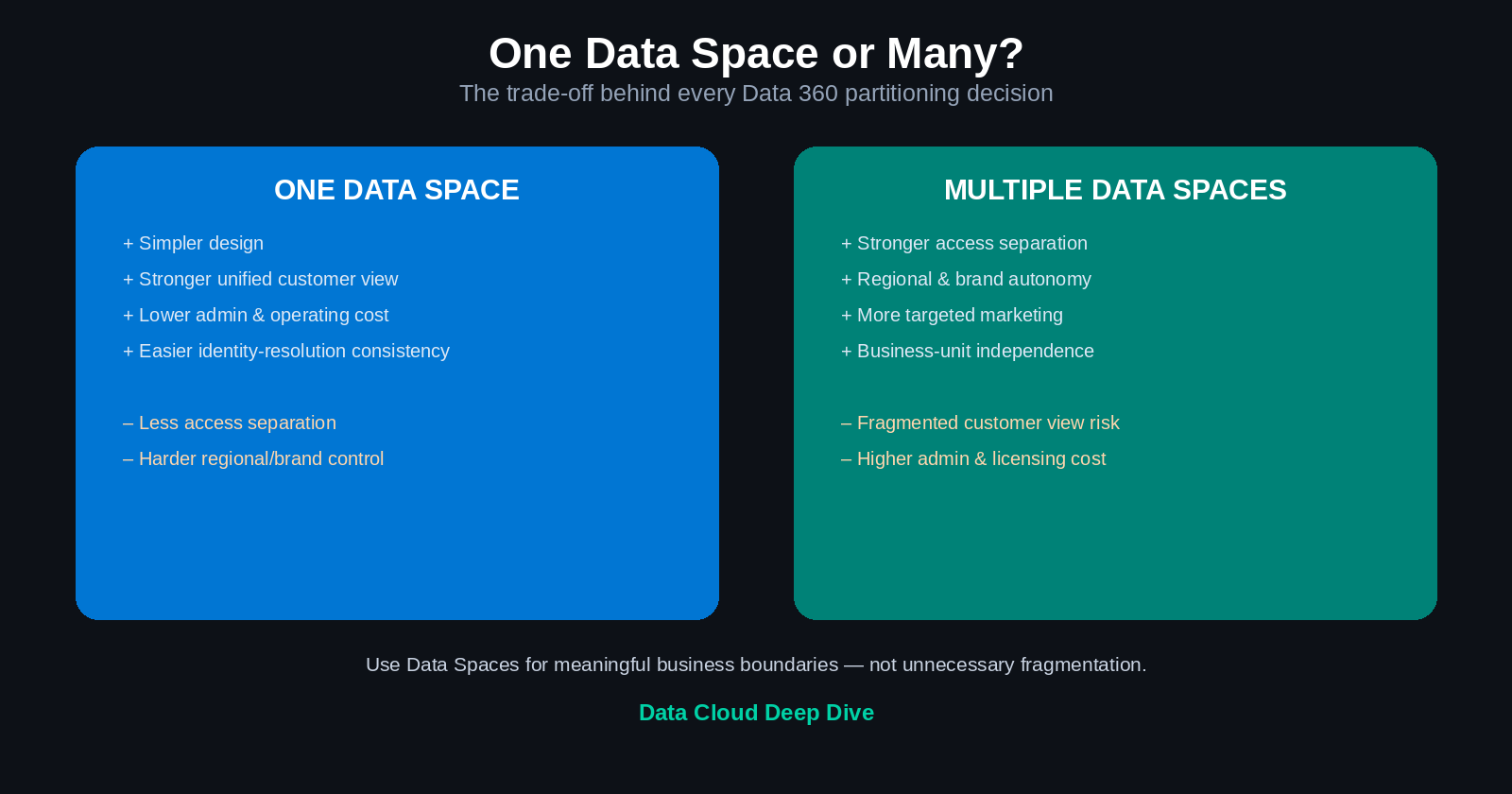
Table of Contents
- What is a Data Space?
- Example: online and offline customers
- What can be separated using Data Spaces
- How Data Spaces work with ingestion
- The same source data in multiple Data Spaces
- Data Space prefixes
- The default Data Space
- Additional Data Spaces
- Data Space access and permission sets
- Data Space governance
- Common Data Space use cases
- Benefits of Data Spaces
- Risks and trade-offs
- One Data Space vs. multiple Data Spaces
- Decision framework
- Practical recommendation
- Example target design
- Key terms
- Final takeaway
Nine days in, and today's lesson is where Data 360 architecture gets genuinely strategic. Data Spaces look like a simple partitioning feature on the surface. In practice, they're one of the decisions with the widest downstream blast radius in a Data Cloud implementation — because getting them wrong doesn't just cost setup time, it can fragment the unified customer view the whole platform exists to create.
1. What is a Data Space?
A Data Space is a logical partition within Data 360 used to organize and separate data, metadata, processes, profiles, insights, and marketing activities. It lets an organization manage different groups of data independently while using the same Data 360 platform.
Simple definition: a Data Space is a logical boundary for organizing and controlling Data 360 data and processes.
Data Spaces can support separation by region, department, brand, business unit, customer type, product line, operating model, compliance boundary, or marketing strategy. This mirrors a pattern common across enterprise data platforms — using security, governance, and logical boundaries to manage data across different business domains.
2. Example: online and offline customers
Say Sony wants to manage two customer groups differently — online customers and offline (in-store) customers. The organization might want to apply different unification rules, run different marketing campaigns, generate separate insights, control access by business team, and analyze online and offline behavior independently.
Data Spaces can create logical partitions for exactly this:
| Data Space | Customer group | Primary use |
|---|---|---|
| Online Data Space | Customers who purchase online | Digital marketing and e-commerce analysis |
| Offline Data Space | Customers who purchase in stores | Retail marketing and store-performance analysis |
Important nuance: this separation doesn't necessarily mean the organization created physically separate Salesforce orgs. It's a logical partition within the Data 360 environment.
3. What can be separated using Data Spaces
Data Spaces can separate several types of Data 360 assets:
A. Metadata — data model definitions, data stream configuration, field mappings, object definitions, calculated insight definitions, segment definitions.
B. Processes — different Data Spaces can support different processing activities: data ingestion, identity resolution, unification, calculated insights, segmentation, activation, data transformations.
C. Profiles — Data Spaces can help separate unified profiles based on region, brand, department, customer type, business line, or data-access requirements.
D. Insights — insights can be generated within a particular Data Space to support a specific business or analytical context: online customer lifetime value, regional service trends, brand-level engagement, department-specific customer behavior.
E. Marketing and activation — Data Spaces can support separate marketing strategies for different audiences: retail campaigns, digital campaigns, regional campaigns, product-specific campaigns, business-unit-specific activation.
4. How Data Spaces work with ingestion
A major design decision happens at ingestion time: the organization must determine which Data Space should contain the incoming data.
High-level flow:
Identify source system
      ↓
Data ingestion
      ↓
Data stream configuration
      ↓
Data Space assignment
      ↓
Data Lake Object associated with the Data Space
      ↓
Unification, insights, segmentation, and activation
Important point: a Data Lake Object is associated with a particular Data Space. Once data is assigned to a Data Space, that association influences profile unification, identity resolution, calculated insights, segmentation, and marketing activation. Data Space assignment should therefore be treated as an architectural and data-strategy decision — not merely an administrative setting you fill in without thinking.
5. The same source data in multiple Data Spaces
If similar data genuinely needs to be available in two different Data Spaces, separate data streams may be required. For example, the same type of individual or customer records might need to exist in both Data Space 1 and Data Space 2 — the organization would create Data Stream 1 mapped to Data Space 1, and Data Stream 2 mapped to Data Space 2, letting the data be managed independently in each logical partition.
Practical implication: before duplicating ingestion into multiple Data Spaces, evaluate data volume, processing cost, data freshness, duplicate processing overhead, identity-resolution behavior, governance requirements, activation requirements, and — critically — whether the same source data truly needs to exist in both spaces. It's easy to duplicate first and question it later; better to question it first.
6. Data Space prefixes
A Data Space prefix identifies the Data Space a Data 360 object belongs to — it acts as a namespace or identity marker.
Example: assume Data Space 1 has prefix DS1 and Data Space 2 has prefix DS2. If the same type of individual data exists in both spaces, the objects might appear as "DS1 Individual" and "DS2 Individual" — making it easy to distinguish which Data Space contains each object.
Why prefixes matter: they help users and administrators identify the Data Space associated with an object, distinguish similar objects across Data Spaces, avoid confusion during mapping, track object ownership, understand deployment dependencies, and validate configuration.
Naming recommendation: use a clear, consistent naming convention based on the organization's strategy.
| Data Space | Suggested prefix |
|---|---|
| North America | NA |
| Europe | EU |
| Online customers | ONL |
| Offline customers | OFF |
| Retail business | RET |
| Commercial business | COM |
Avoid ambiguous prefixes. The naming convention should be documented and agreed before large-scale ingestion begins — retrofitting a naming convention after hundreds of objects exist is far more painful than agreeing on one up front.
7. The default Data Space
Data 360 provides a default Data Space that's available from the start. It's available by default, cannot be deleted, can generally be renamed, doesn't use a prefix the same way additional Data Spaces do, and provides the starting point for Data 360 configuration.
The default Data Space may be sufficient when: the organization has a simple data strategy, all business units can share the same logical environment, there are no major regional or compliance boundaries, one unified profile strategy is appropriate, and marketing and analytics don't require separation.
Do not create additional Data Spaces simply because the capability exists. Each additional partition introduces design, governance, access, and operational considerations.
8. Additional Data Spaces
Organizations create additional Data Spaces when their strategy requires logical separation. Typical drivers: regional data separation, brand-specific operations, different business-unit strategies, separate marketing programs, distinct customer populations, regulatory or compliance considerations, independent identity-resolution approaches, different data-access requirements.
Note: additional Data Spaces may require additional Salesforce licensing or entitlements. Confirm current product packaging and licensing before finalizing the design.
9. Data Space access and permission sets
Data Space access is controlled through permissions and permission sets — tying directly back to Day 8's lesson.
General process:
- Create or identify the required Data Spaces.
- Create a permission set.
- Locate the Data Space management permissions.
- Add the appropriate Data Spaces.
- Assign the permission set to the user.
- Validate that the user can access only the intended Data Spaces.
Why this matters: two users may have similar Data 360 responsibilities but need access to different Data Spaces. Example: a North America marketing user should access the North America Data Space; a Europe marketing user should access the Europe Data Space; an enterprise architect may need access to all Data Spaces; a business analyst may need view access to only one. This supports least-privilege access and prevents users from viewing or activating data outside their responsibilities.
10. Data Space governance
Data Spaces should be governed as part of the broader Data 360 operating model. A governance model should define: who can create Data Spaces, who approves new Data Spaces, what qualifies as a valid separation, who owns each Data Space, which data sources belong in each space, which users can access each space, how identity resolution is managed, how data is activated, how duplicate data across spaces is controlled, how changes are documented, and how Data Spaces are retired.
A centralized data-platform model typically requires exactly this kind of clear ownership, metadata management, data-quality controls, access management, and governance across source and consumption layers.
11. Common Data Space use cases
A. Regional separation — separate Data Spaces for North America, Europe, Asia-Pacific — supporting regional operations, data access, and compliance requirements.
B. Brand separation — a multi-brand organization creates separate Data Spaces for Brand A, B, and C, letting each brand manage its own customer data and marketing strategy.
C. Business-unit separation — a financial services organization might separate Banking, Lending, Insurance, and Wealth Management.
D. Customer-type separation — separating online customers, offline customers, business customers, individual consumers, members, or constituents.
E. Marketing separation — different teams managing different campaign strategies, audience rules, activation destinations, or consent/preference models.
F. Controlled experimentation — a Data Space can support a specific pilot or analytical use case without mixing that data into the enterprise-wide profile strategy.
12. Benefits of Data Spaces
- Logical organization — a clear way to organize data and Data 360 assets.
- Improved access control — restricting users to the data relevant to their roles.
- Flexible unification — different Data Spaces can support different identity-resolution or unification strategies.
- Business-unit autonomy — teams manage their own data and activation needs within agreed enterprise standards.
- Regional flexibility — regional teams operate within appropriate boundaries.
- More targeted insights — generated for specific customer populations, brands, or regions.
- More focused marketing — teams segment and activate audiences within the appropriate business context.
13. Risks and trade-offs
Data Spaces are useful, but more Data Spaces are not always better.
A. Increased complexity — each additional Data Space may require separate management of data streams, mappings, identity resolution, insights, segments, activations, permissions, testing, and monitoring.
B. Duplicate data ingestion — if the same source data is ingested into multiple Data Spaces, processing and storage requirements increase.
C. Fragmented customer views — separating data too aggressively may prevent the organization from creating a complete enterprise-wide customer view.
D. Cross-space analysis limitations — partitioned data may be more difficult to analyze together, depending on use case and platform capabilities.
E. More complicated security administration — users may require different permissions for different Data Spaces.
F. Higher operating cost — additional Data Spaces may require additional licenses, administration, and implementation effort.
G. Identity-resolution inconsistency — if different spaces use different matching or reconciliation rules, the same customer may be unified differently across spaces.
14. One Data Space vs. multiple Data Spaces
| Consideration | One Data Space | Multiple Data Spaces |
|---|---|---|
| Design simplicity | High | Lower |
| Centralized customer view | Stronger | May be fragmented |
| Access separation | More limited | Stronger |
| Regional separation | More difficult | Easier |
| Business-unit autonomy | Lower | Higher |
| Administrative effort | Lower | Higher |
| Identity-resolution consistency | Easier | Requires coordination |
| Marketing flexibility | Shared strategy | More targeted strategies |
| Data duplication risk | Lower | Higher |
| Governance requirements | Simpler | More extensive |
15. Decision framework
Business questions: do business units genuinely need separate customer or constituent views? Are different marketing strategies required? Do regional teams need independent operations? Is there a need to separate brands or customer types?
Data questions: which sources belong in each Data Space? Will the same records be ingested into multiple spaces? Are separate identity-resolution rules required? Will data need to be analyzed across spaces? Will unified profiles be created independently?
Governance questions: who owns each Data Space? Who can create or modify Data Spaces? How will access be assigned? How will naming conventions be enforced? How will cross-space data use be governed?
Technology and cost questions: are additional licenses required? What's the expected ingestion volume? What's the impact on processing? How will deployment work across spaces? How will the organization monitor and support the spaces?
16. Practical recommendation
Use the default Data Space when the organization has a straightforward operating model, a shared customer strategy, no significant regional or business-unit separation requirement, a need to minimize complexity, and a centralized identity-resolution approach.
Use multiple Data Spaces only when there is a clear business, regulatory, security, operating-model, or marketing reason to separate the data.
Point of view: Data Spaces should represent meaningful business or governance boundaries — not technical convenience. A good design preserves the enterprise-wide customer view where it matters while creating logical separation where the business genuinely needs it.
17. Example target design
Scenario: a global organization has North America and Europe operations, online and offline customer channels, separate regional marketing teams, and a need for both regional and enterprise-level insights.
Possible design:
| Data Space | Purpose |
|---|---|
| Default Data Space | Enterprise-wide shared data and common insights |
| North America Data Space | Regional customer and marketing activity |
| Europe Data Space | Regional customer and marketing activity |
| Online Data Space | Digital-channel customer behavior |
| Offline Data Space | Physical-store customer behavior |
Before implementing this design, determine whether too many partitions would fragment the unified customer view. A better design might use regional Data Spaces while retaining channel information as attributes rather than creating separate channel-based Data Spaces — fewer partitions, same analytical capability, less fragmentation risk.
18. Key terms
| Term | Definition |
|---|---|
| Data Space | Logical partition for organizing Data 360 data and processes |
| Default Data Space | The Data Space provided by default |
| Data Space prefix | Identifier used to distinguish objects belonging to a Data Space |
| Data Lake Object | Ingested data object associated with a Data Space |
| Unified profile | Consolidated customer or constituent view |
| Identity resolution | Process of matching records that represent the same entity |
| Calculated insight | Derived analytical result based on Data 360 data |
| Segmentation | Grouping records based on attributes or behavior |
| Activation | Sending data or insights to a destination for business use |
| Logical partition | A virtual separation within a shared platform |
| Data Space access | Permissions determining which Data Spaces a user can view or manage |
19. Final takeaway
A Data Space is a logical partition that helps organize Data 360 data, metadata, processes, profiles, insights, and marketing activities.
The key design principle: use Data Spaces to create meaningful business or governance boundaries — not unnecessary fragmentation. Data Space decisions should be made early, because they affect ingestion, unification, insights, segmentation, activation, permissions, governance, and operating cost.
Quick knowledge check
- What is a Data Space?
- Why might an organization create separate Data Spaces?
- What can be separated using Data Spaces?
- When is the Data Space assignment made during ingestion?
- What is the relationship between a Data Lake Object and a Data Space?
- What is the purpose of a Data Space prefix?
- What is the default Data Space?
- Can the default Data Space be deleted?
- How is Data Space access assigned to users?
- What are the risks of creating too many Data Spaces?
- When is one Data Space preferable?
- What factors should influence a multi-Data Space strategy?


